

Description
Download Urban VPN – Free, Fast, and Stream‑Friendly VPN Tool
Why Urban VPN Stands Out in a Crowded Free VPN Market
In an era where online privacy and streaming freedom are more important than ever, finding a free VPN that delivers speed, unlimited bandwidth, and the ability to unblock popular services like US Netflix and Amazon Prime Video is a tall order. Urban VPN attempts to answer that call with a peer‑to‑peer architecture that eliminates subscription fees and eliminates the need for a user account. Developed by Urban Cyber Security Inc., the app promises a simple one‑tap connection to any of its 81 servers spread across the globe, with the promise of faster browsing and a seamless streaming experience.
The appeal of a zero‑cost solution is undeniable, especially for casual users who want to bypass geo‑restrictions without diving into complex configuration settings. Urban VPN’s minimalist interface, “choose‑a‑server‑and‑go” approach, and ad‑supported model make it an attractive option for those who prioritize convenience over robust encryption. However, the very architecture that fuels its free model—relying on a Hola‑style peer‑to‑peer network—introduces a set of security trade‑offs that savvy users should understand before clicking “download.”
This review digs deep into what Urban VPN actually delivers: its feature set, real‑world performance, installation quirks, platform compatibility, and the pros and cons that matter most to everyday users. Whether you’re a student looking for a cost‑free way to watch US‑only shows, a traveler seeking a quick bypass for public Wi‑Fi restrictions, or simply curious about the safety of P2P VPNs, the sections below give you a comprehensive, SEO‑friendly look at the app’s strengths and shortcomings.
Core Features, Performance Highlights, and Security Realities
Key Features of Urban VPN
- Free unlimited bandwidth – no data caps.
- 81 server locations across multiple continents.
- One‑click connection, no account required.
- Ability to unblock US Netflix, Amazon Prime Video, and other streaming platforms.
- Peer‑to‑peer network architecture that routes traffic through other users’ devices.
- Basic ad‑supported model that keeps the service free.
From a performance standpoint, Urban VPN lives up to its promise of faster browsing in many scenarios. Users often notice a modest reduction in page load times when connecting through a server that is geographically closer to the target content. The unlimited bandwidth claim holds true; there are no throttling mechanisms that restrict streaming or large file transfers, which is a significant advantage over many other free VPNs that impose strict limits.
Streaming capabilities are a major selling point. With the ability to “unblock US Netflix,” the app effectively masks your IP address with one from a United States server, allowing you to access the full library of US‑only titles. Amazon Prime Video also works in most cases, although occasional regional restrictions may still appear due to the evolving detection methods employed by streaming services.
Security, however, is where Urban VPN’s free model shows its cracks. The P2P design means that once you’re connected, your internet traffic can be routed through the devices of other users, and conversely, other users’ traffic may pass through your device. This shared processing power approach is fundamentally different from traditional VPNs that use dedicated servers and AES‑256 encryption. Urban VPN does not publish detailed encryption specifications, and its privacy policy indicates that some user data is collected for ad targeting and service maintenance. For users who require strong anonymity—such as journalists, activists, or anyone handling sensitive data—the lack of robust, audited encryption and the potential exposure to other users’ traffic present notable risks.
In summary, Urban VPN excels at delivering a free, user‑friendly way to boost browsing speed and bypass geo‑blocks, but it falls short in delivering the high‑grade security guarantees that premium VPNs provide. The trade‑off between cost and privacy is clear, and potential users should weigh their priorities accordingly.
Step‑by‑Step Installation and Daily Usage Instructions
Downloading Urban VPN on Different Platforms
Urban VPN is available for Windows, macOS, Android, and iOS. The download process is straightforward on mobile platforms via the Google Play Store and Apple App Store. However, desktop users must navigate a direct installer from the official website, which can sometimes trigger security warnings due to the lack of a signed digital certificate.
- Visit the official Urban VPN website and locate the “Download for Windows” or “Download for macOS” button.
- Run the installer. Windows users may need to approve a “Driver Installation” prompt; macOS users will be asked to grant network extension permissions.
- Allow the app to install its virtual network adapter. This step is essential for routing traffic through the VPN. If you encounter a “signature verification failed” error, you may need to temporarily disable your antivirus or run the installer as an administrator.
- Launch the application. No sign‑up or login is required—just click “Connect” to choose a server.
Daily Use: Connecting, Switching Servers, and Streaming
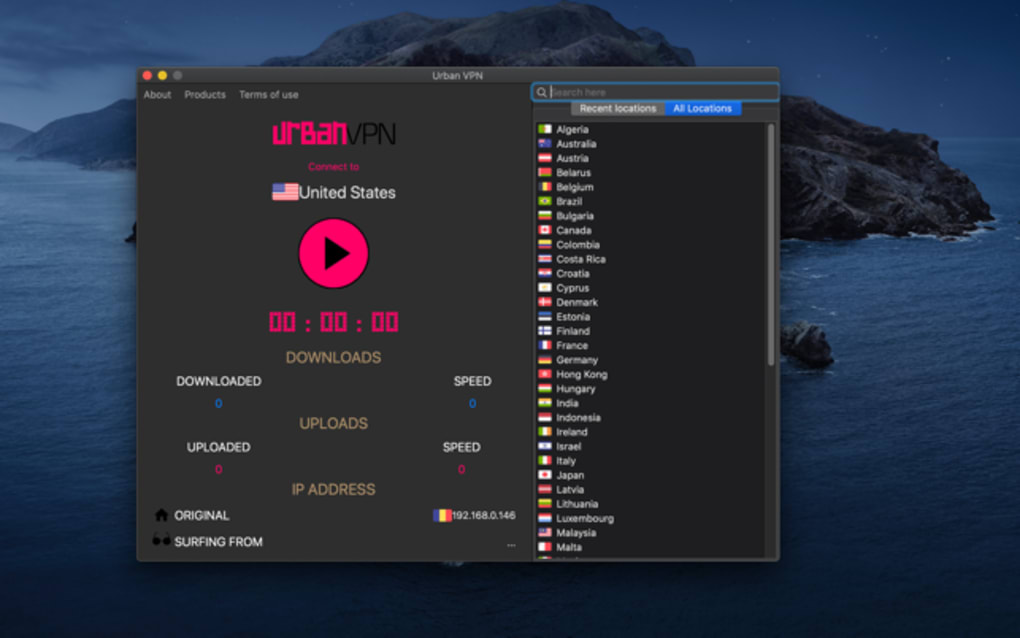
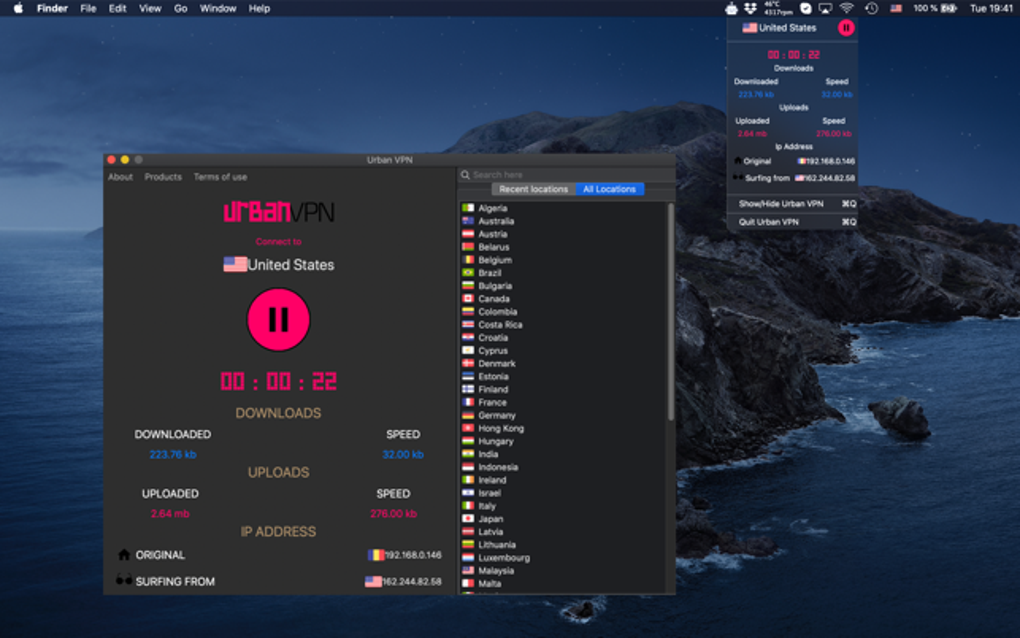
Once the app is installed, using Urban VPN is designed to be as simple as possible. The main window displays a list of available servers, each labeled with its city and country. To start a VPN session, select a server and press the “Connect” button. A green indicator confirms that the tunnel is active. Switching servers is equally easy; simply click “Disconnect,” choose a new location, and reconnect.
For streaming, pick a United States server before launching your Netflix or Amazon Prime Video app. The VPN will mask your IP, allowing the streaming service to think you are located in the US. Because the app offers unlimited bandwidth, you can binge‑watch without fearing data caps. However, keep in mind that occasional buffering may still occur if the selected server is overloaded or if the P2P routing adds latency.
The app also provides a quick “Kill Switch” toggle that disables internet traffic if the VPN connection drops unexpectedly, preventing accidental exposure of your real IP. While not as feature‑rich as premium competitors, this basic safety measure adds a layer of protection for casual browsing.
Overall, the user experience is geared toward non‑technical users who want a “set it and forget it” solution. The absence of account creation streamlines the process, but the occasional installer hiccup and lack of live support can be frustrating for those who encounter issues during setup.
Platform Compatibility, Pros, and Cons of Using Urban VPN
Supported Operating Systems
Urban VPN runs on the following platforms:
- Windows 7, 8, 10, and 11 (64‑bit)
- macOS 10.12 Sierra and later
- Android 5.0 Lollipop and above
- iOS 11.0 and later
While the mobile versions are available directly from the official app stores, desktop users must rely on the website download, which sometimes leads to driver‑signing warnings. The app does not currently support Linux, which limits its reach for power users.
Pros of Urban VPN
- Completely free: No subscription, no hidden fees, and unlimited bandwidth.
- Easy to use: No account required; one‑click connection and server switching.
- Streaming friendly: Can unblock US Netflix and Amazon Prime Video.
- Wide server coverage: 81 locations worldwide for better speed options.
- Basic kill‑switch feature: Helps prevent IP leaks on sudden disconnections.
Cons of Urban VPN
- Security concerns: P2P architecture routes traffic through other users, lacking AES‑256 encryption.
- Privacy policy ambiguity: Collects user data for ad targeting; no clear data‑retention policy.
- Installation hurdles: Unsigned driver may trigger antivirus alerts on Windows/macOS.
- No customer support: No live chat, email, or knowledge base for troubleshooting.
- Potential performance variability: Server speed can fluctuate based on peer load.
Expert Review Summary
Urban VPN delivers on the promise of a free, unlimited‑bandwidth VPN that makes streaming geo‑restricted content simple. Its user‑friendly interface and broad server list are notable strengths for casual users. However, the lack of strong encryption, reliance on a peer‑to‑peer network, and opaque data practices mean it should not be trusted with sensitive transactions or personal information. For users whose primary need is occasional streaming or a quick way to boost browsing speed on public Wi‑Fi, Urban VPN can be a handy tool—provided they accept the inherent privacy trade‑offs.
Frequently Asked Questions About Urban VPN
Is Urban VPN truly free or are there hidden costs?
Urban VPN is completely free to download and use. The service is ad‑supported, meaning you may see occasional promotional messages within the app, but there are no subscription fees or hidden charges for bandwidth.
Can I use Urban VPN to watch Netflix in the United States?
Yes. Selecting a United States server typically allows you to bypass geo‑restrictions and stream the full US Netflix catalog. Success can vary if Netflix updates its VPN detection algorithms.
How secure is the peer‑to‑peer network used by Urban VPN?
The P2P model means your traffic may be routed through other users’ devices, and vice versa. Urban VPN does not disclose using AES‑256 or similar strong encryption, making it less secure than traditional VPNs that rely on dedicated servers and robust cryptographic protocols.
Which operating systems are compatible with Urban VPN?
Urban VPN supports Windows 7/8/10/11 (64‑bit), macOS 10.12 and later, Android 5.0+, and iOS 11+. It does not currently offer a Linux client.
What should I do if the installer fails on Windows?
If you encounter a “signature verification failed” error, try running the installer as an administrator, temporarily disabling your antivirus, or enabling the “Allow apps from any source” setting. After installation, re‑enable your security software.
Conclusion – Is Urban VPN Worth Downloading?
Urban VPN offers a compelling proposition for users who need a free VPN to unblock streaming services and enjoy modest speed improvements without the hassle of account creation. Its 81‑server network, unlimited bandwidth, and straightforward one‑tap connection make it an attractive option for casual browsing and occasional media consumption.
However, the trade‑off is clear: the peer‑to‑peer architecture, lack of transparent encryption, and data collection for advertising diminish the privacy and security guarantees that many users expect from a VPN. If you plan to handle sensitive transactions, protect personal data, or require strong anonymity, a reputable paid service with AES‑256 encryption (such as ExpressVPN or NordVPN) is a safer choice.
In short, download Urban VPN if your primary goal is to watch US Netflix, bypass light geo‑blocks, and you’re comfortable with a modest privacy compromise. For any scenario that demands robust security, consider a premium alternative.
Ready to try it? Click the official download link, follow the installation steps above, and enjoy a free, streamlined VPN experience—just remember to stay aware of the security limitations.
Guides & Tutorials for Urban VPN
How to install Urban VPN
- Click the Preview / Download button above.
- Once redirected, accept the terms and click Install.
- Wait for the Urban VPN download to finish on your device.
How to use Urban VPN
This software is primarily used for its core features described above. Open the app after installation to explore its capabilities.
User Reviews for Urban VPN 0
No reviews found





.webp)